Release notes
Performance fixes and a faster builder
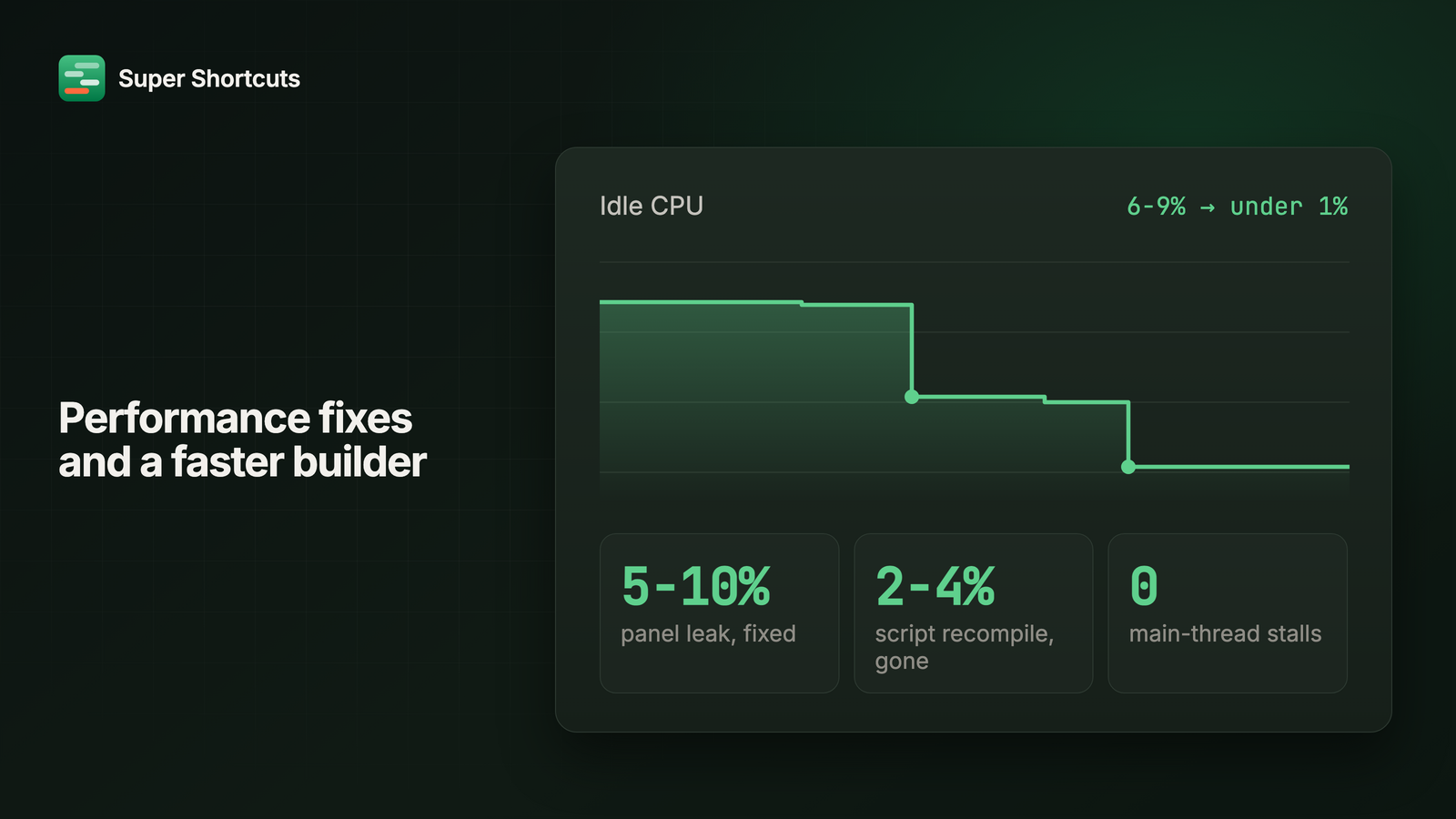
An automation app you leave running all day should cost you nothing while you’re not using it. This one was costing you 6-9% of a CPU core, and up to 14% with a browser in front.
It now idles under 1%, whether or not you’ve run anything.
Two leaks were doing it. One kept 5-10% of a core busy from the moment you ran your first workflow and never gave it back, which is why the app got hot after you actually used it rather than when you launched it. The other recompiled a script twice a second, forever, whether anything needed it or not. Both are gone, and the first fix covers every floating panel, so it holds whichever one you used last.
The other one you’d actually have felt: an app that stopped responding could drag the menu bar and your shortcuts down with it. That felt like Super Shortcuts hanging, when it was really sat waiting on something else. Those checks run off the main thread now, so a busy app in front is that app’s problem, not yours.
The trigger chip is the recorder
Small thing in the builder, but you’ll hit it constantly: the chord shown on a workflow is the recorder. Click the keys themselves to record new ones. There’s no separate Record button to find, and Clear and Reset now sit next to the chip they act on rather than across the row.