Release notes
More options for hyper key
Editor’s note (September 21, 2026): the hyper key is the Super key now. Everything this post describes still works, but the setting has moved: the Hyper-Key Onboarding screen is gone as of app 2026.9.15, so the one instruction below has been updated to where the setting lives today. The rest is the release announcement exactly as published.
Caps Lock was the only way in, which is fine right up until you’re one of the people who actually uses Caps Lock. Or you remapped it to Escape years ago and have no intention of giving that up. Or your external keyboard puts it somewhere your hand doesn’t go.
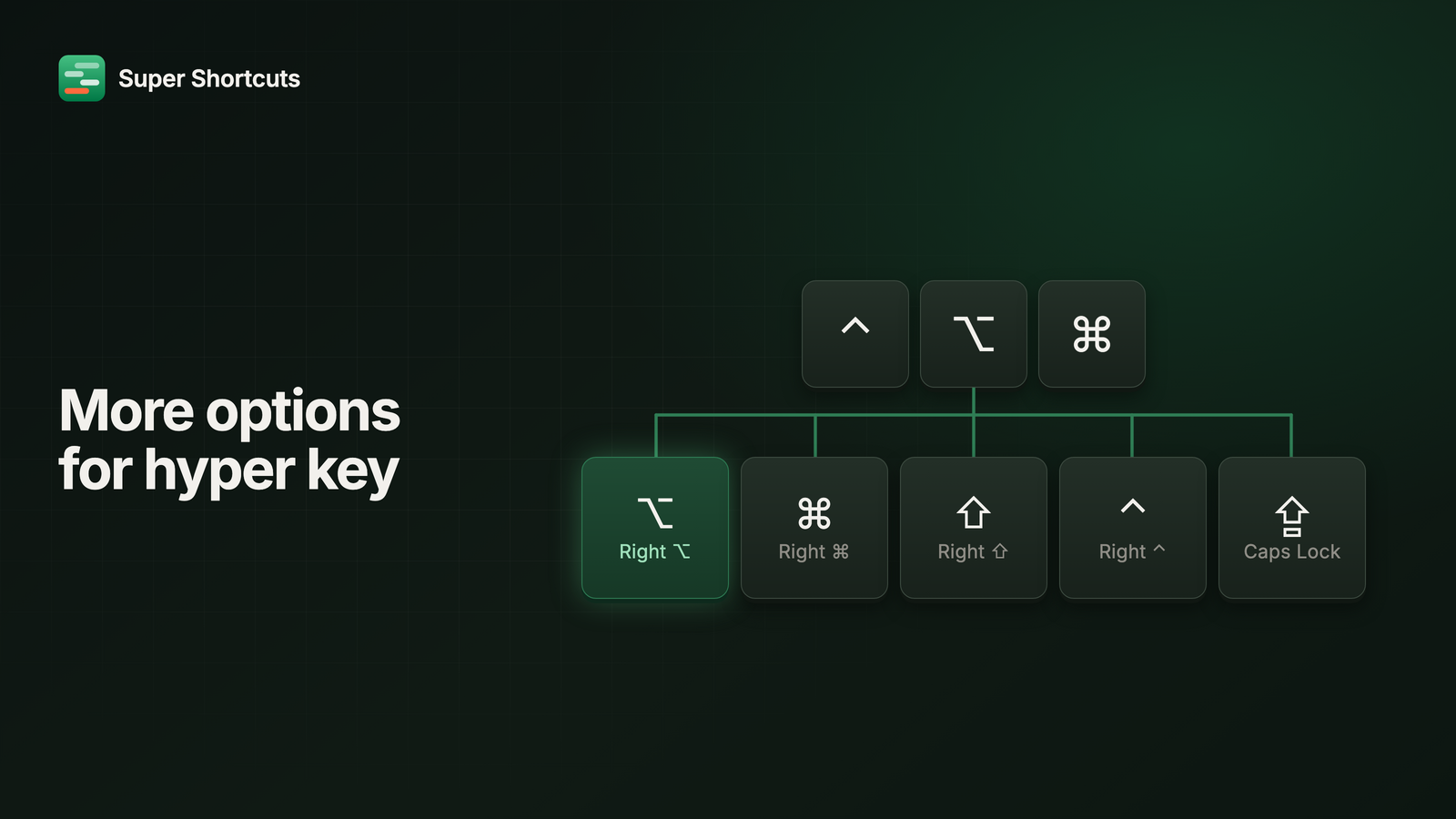
So now you pick. Right Option is the new default, with Right Command, Right Shift, Right Control and Caps Lock all on the table.
Five keys, not one
Hold any of them and your Mac sees the full ⌃⌥⌘ chord. The part that makes
this work: its left twin keeps its normal job. Right Option becomes your
hyper key and left Option is still just Option, so you give up nothing to gain
it. That’s the argument for Right Option as the default, and it’s why Caps Lock
no longer has to be the sacrifice.
Nothing changes for a setup you already have. To switch, it’s Settings → Super key.
As many as you like
Assign Right Option on the laptop and Caps Lock on the external keyboard, and whichever one your hands are on is the right one. No thinking about which machine you’re at.
Holding a hyper key also stops leaking its modifier into clicks and scrolls, so hyper-hold-plus-click no longer opens context menus or starts downloading links behind your back.
The cheat sheet is clickable now
Hold to see your shortcuts, then just click the one you want. Hover a key to magnify it and read the full name, which helps when you’ve bound more than you can label. The key you fire flashes before the sheet dismisses, so you get a half-second of confirmation that you hit the right one.
The hold delay goes all the way down to Instant, if waiting even a beat for it annoys you.
A settling gap between actions
Here’s a bug that only exists when nobody’s watching. You build a workflow, step through it, and every action lands. You run it for real and it falls apart, because the app it’s driving hadn’t finished opening before the next step went looking for its menus.
There’s now a settling gap between actions: 100ms by default, adjustable up to two seconds. It gives an app a moment to be ready before the next thing reaches for it, which is the difference between a workflow that works on your machine and one that works.